Live 1 · Beta 5 · MVP 1 · In development 2 · Experiment 1
Toolhari tools
41
Use them without signing up
Public repos
6
Anyone can read the code
tools.regist.app
tools.regist.app
Lumino Beta
FoldShell Beta
NotiGuard Beta
Toolhari Live
01 Products
10 products so far
Real screens from every product, from Toolhari (툴하루), which is already live, to apps still being built.Every image is a real app or web screen. Screens filled with dummy or demo data say so under the image.
Live01
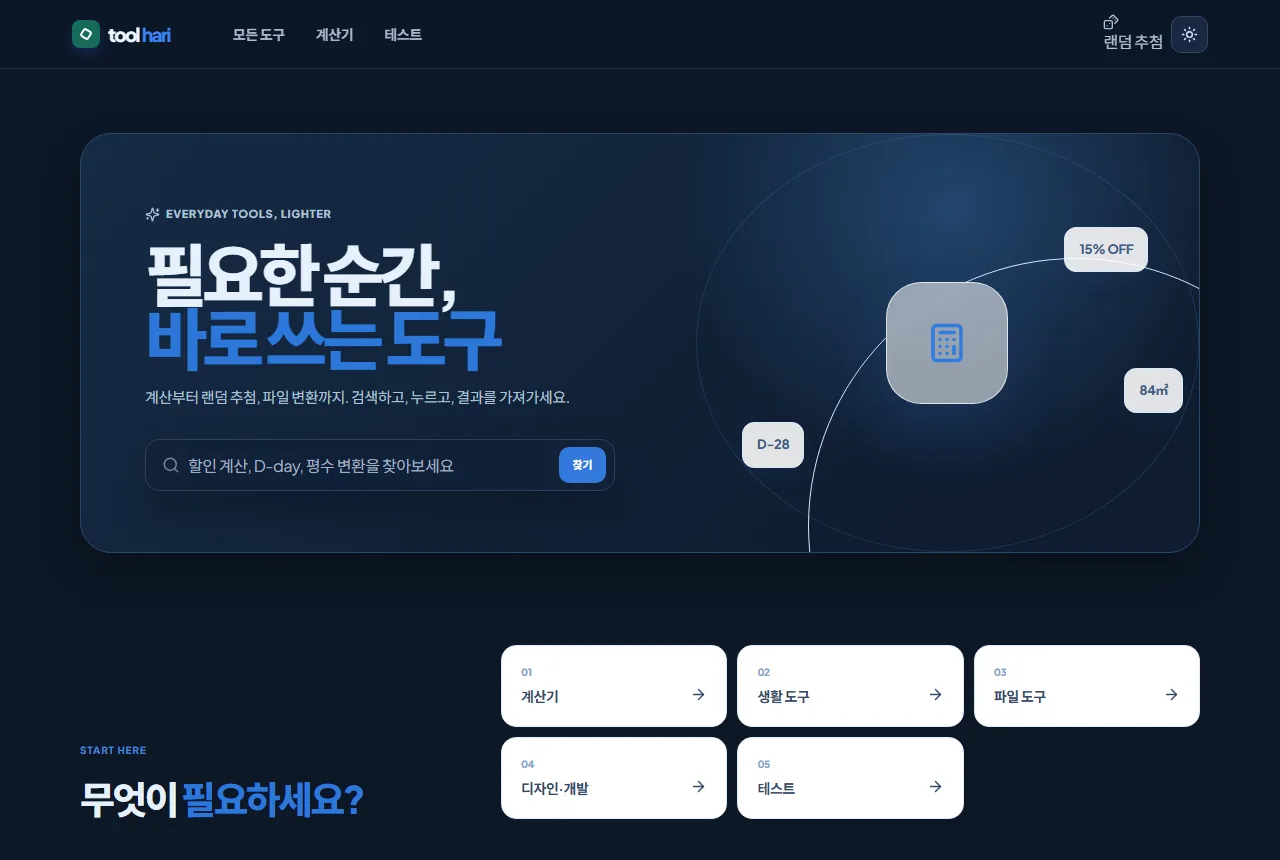
Toolhari
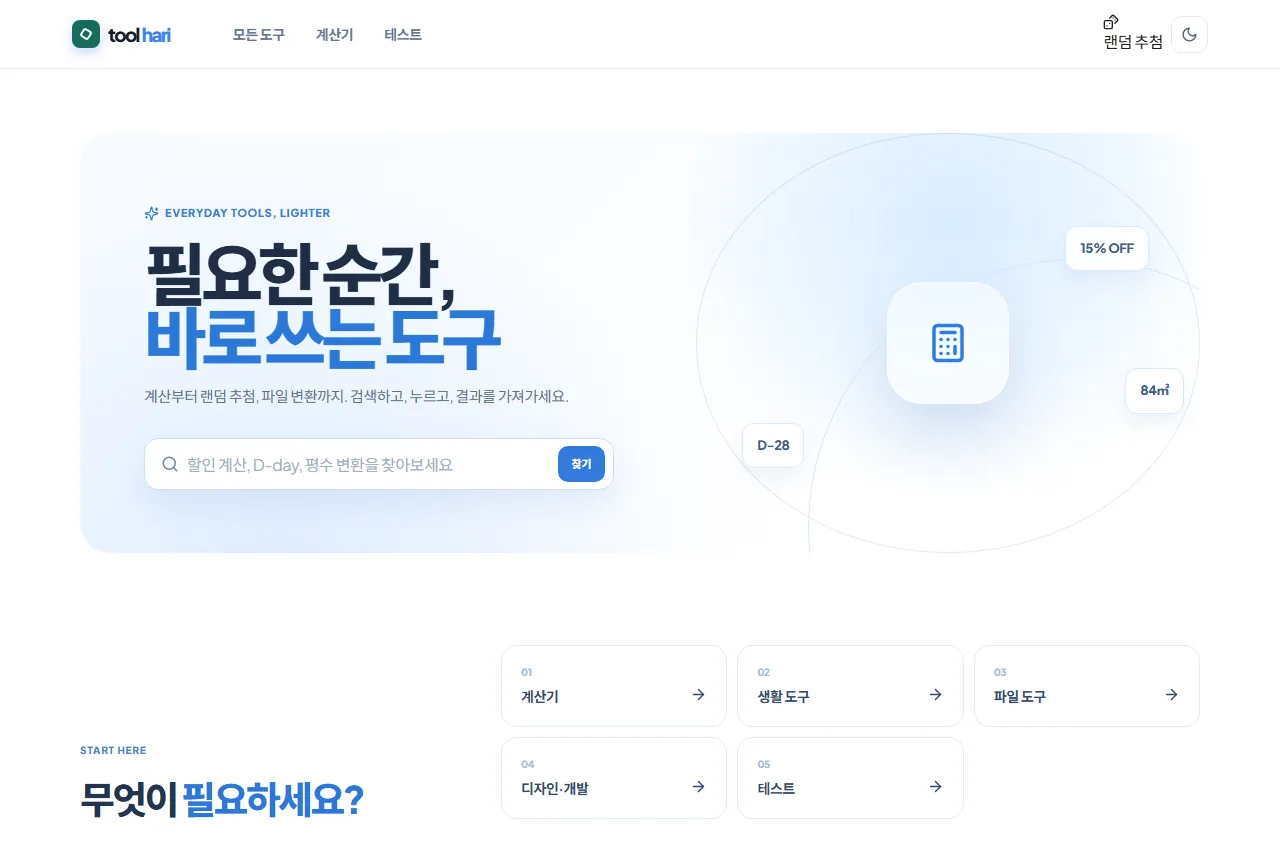
41 tools, no sign-up needed
41 calculators, everyday tools and file tools in one place. No account needed: open a tool and use it. Calculations finish in the browser, and you can add Toolhari to your home screen to open it like an app.
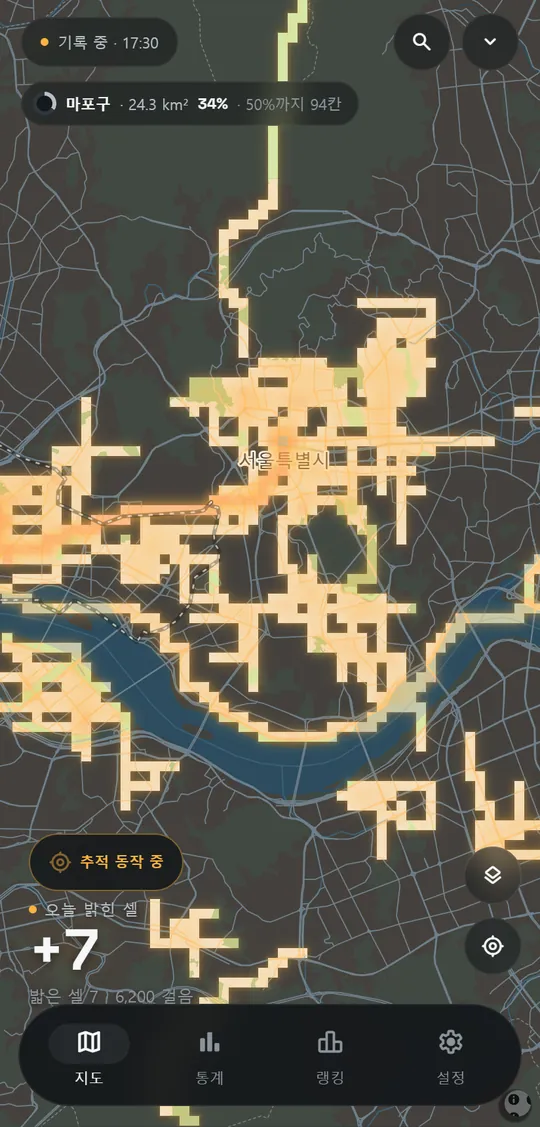
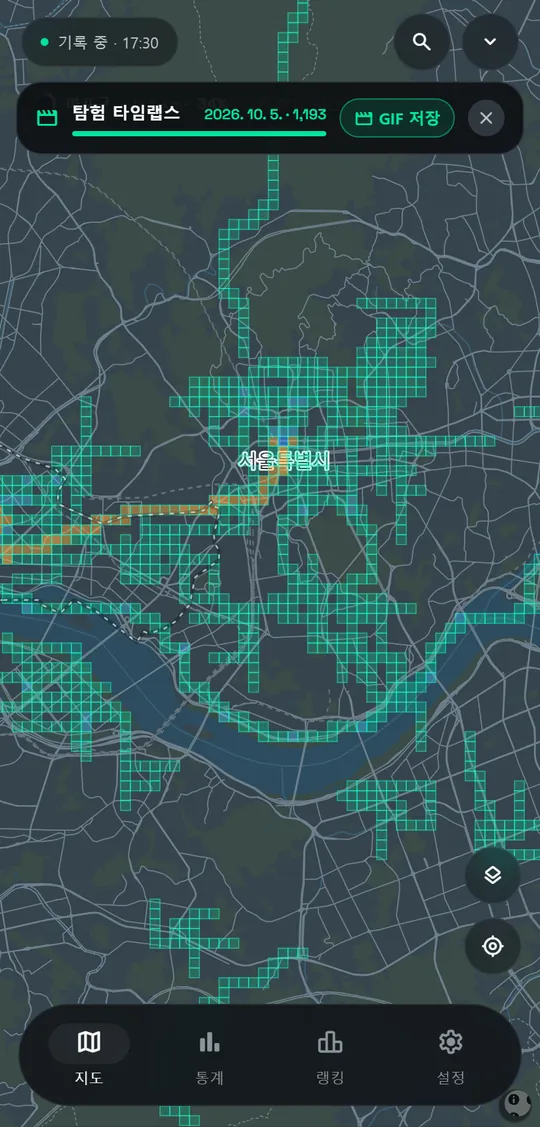
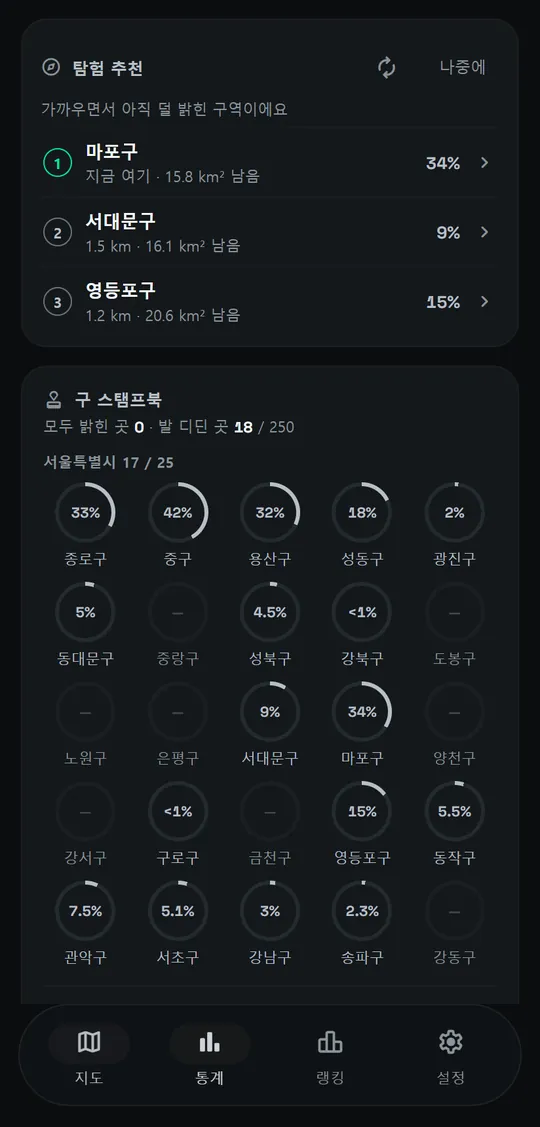
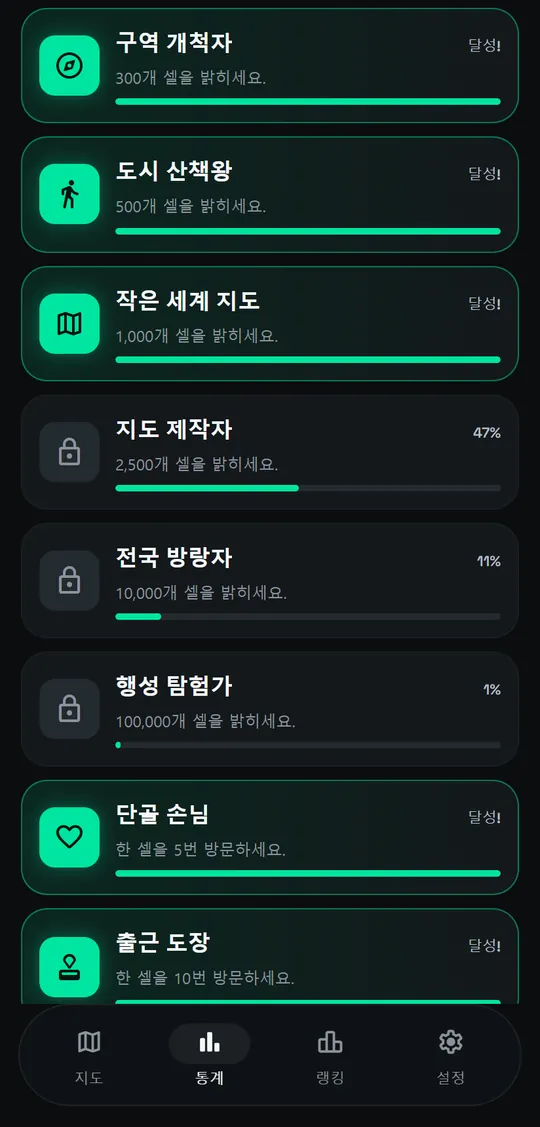
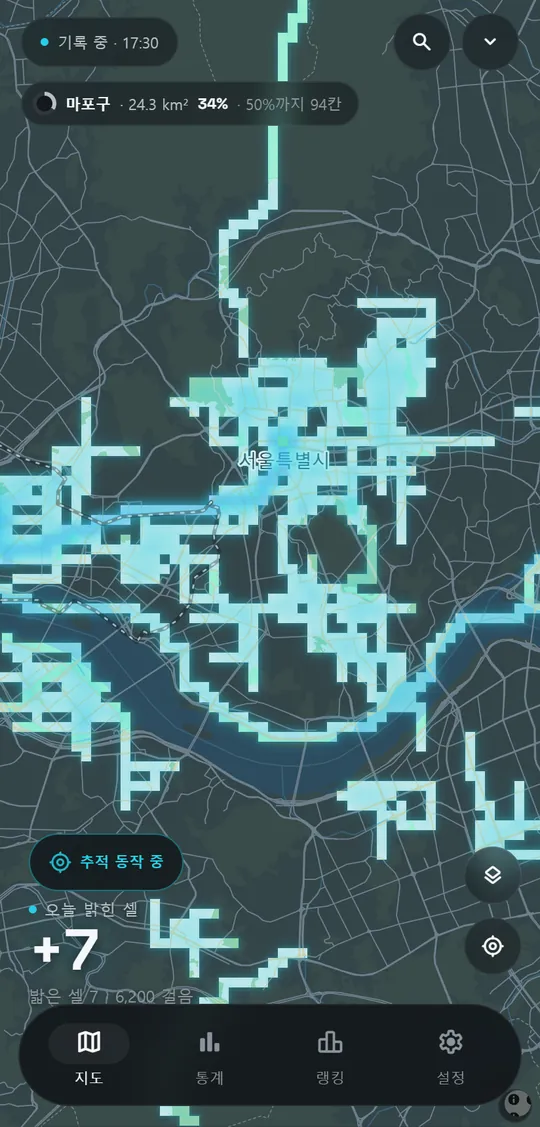
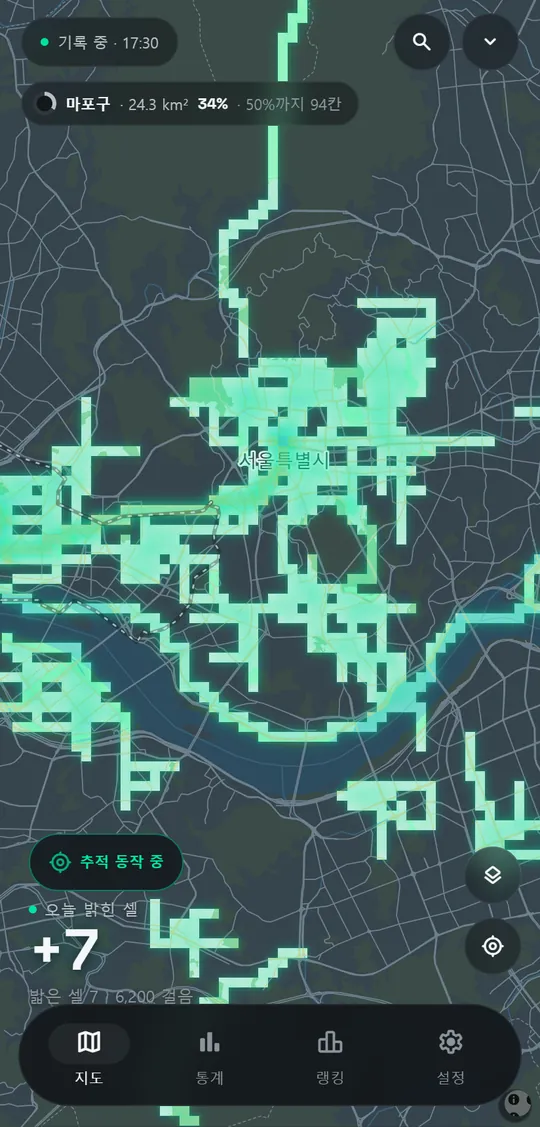
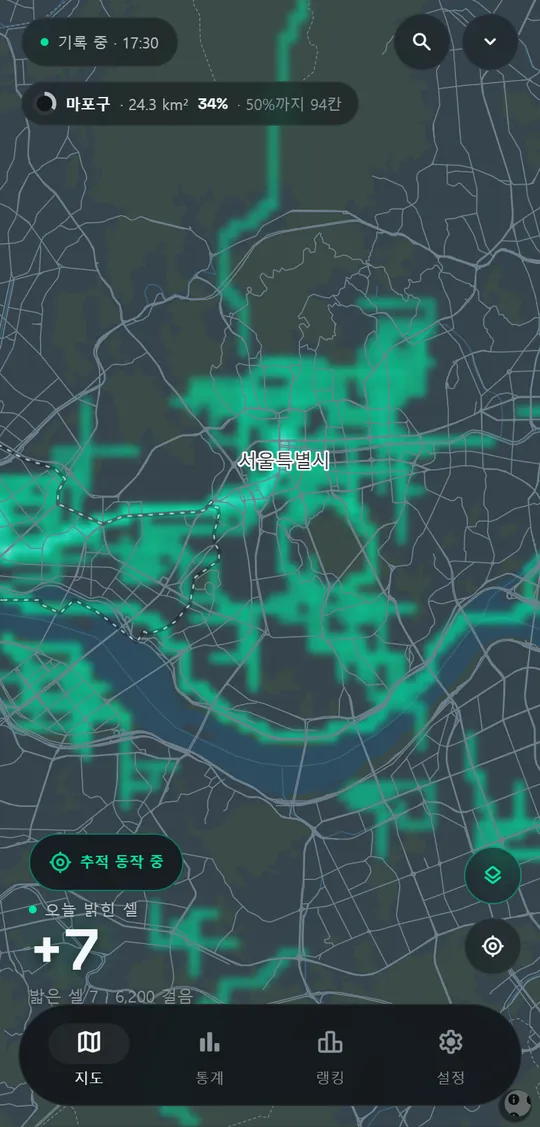
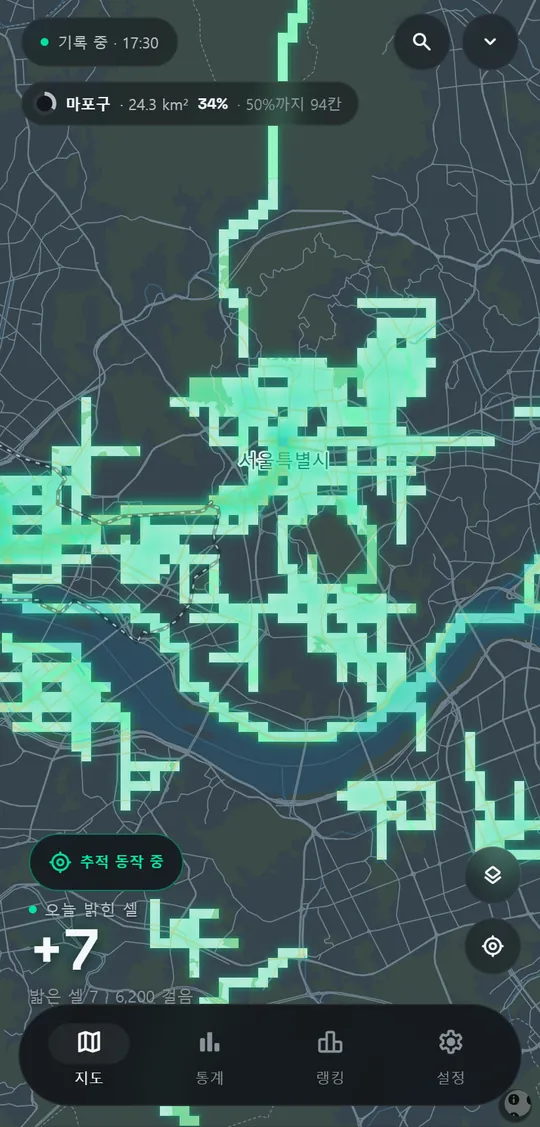
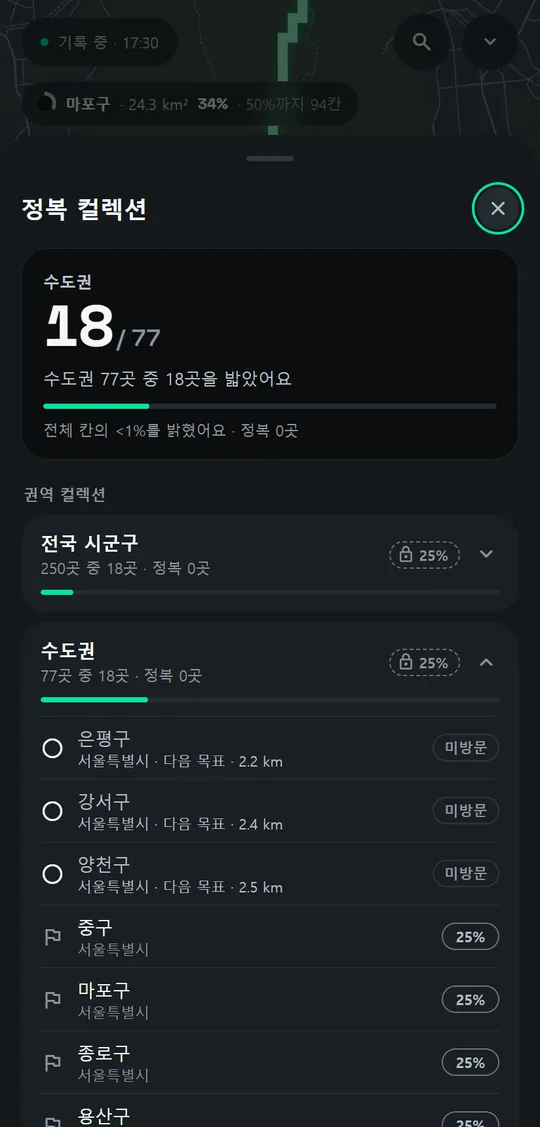
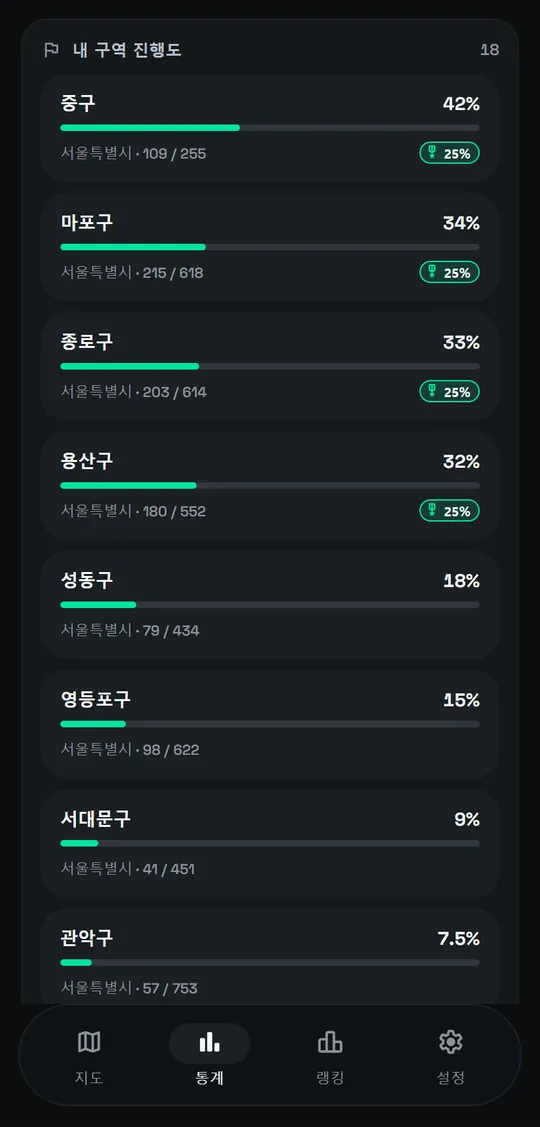
Only the places you've actually walked light up on the map. See your routes as grid cells or a heatmap, and replay everything you've walked as a timelapse. There are 9 map themes, progress by district, collections and achievements, and recaps by period. It keeps recording without an internet connection. Raw GPS data stays on your phone; the server only handles rankings, friends, sharing and push notifications.
Cells, heatmap, timelapse
9 map themes
Raw GPS stays on the phone
STACKAndroid, Go server
Real app screens
More Lumino screensReal app screens
Cell map
Heatmap
Aurora theme
Conquest collection
District progress
Beta03
FoldShell
SSH terminal made for foldables
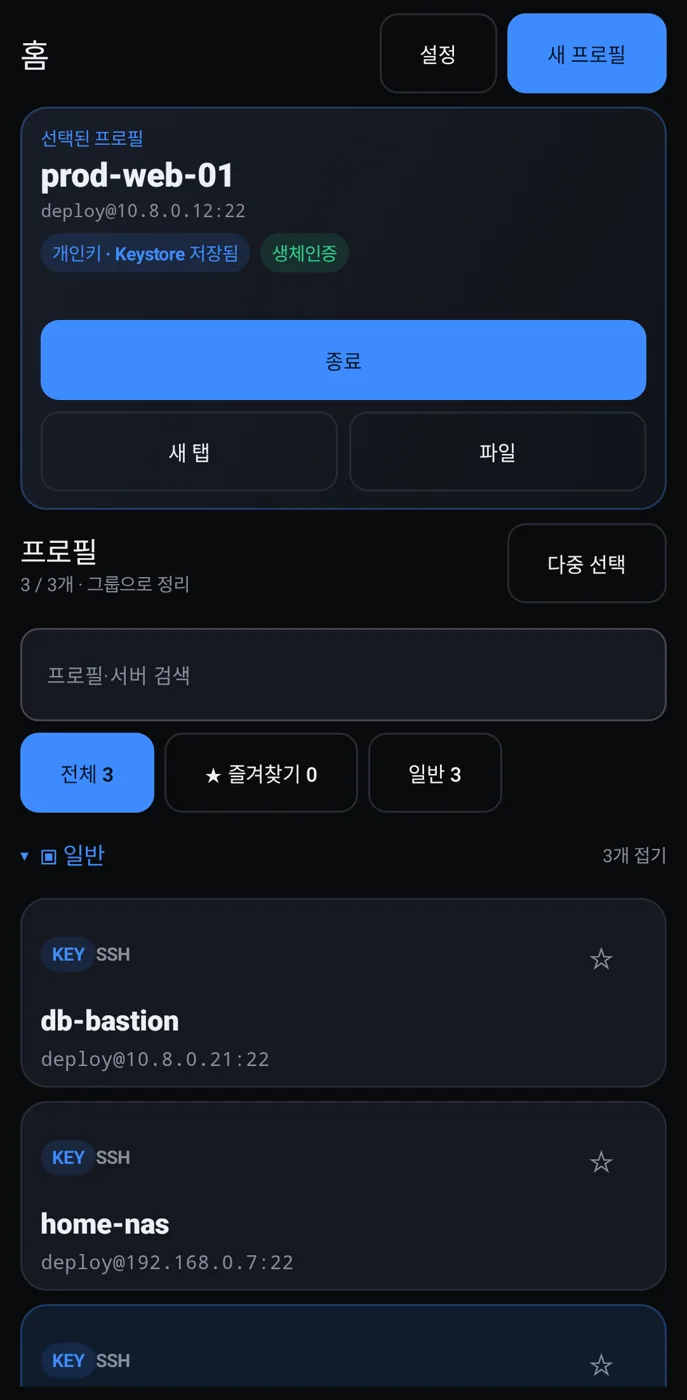
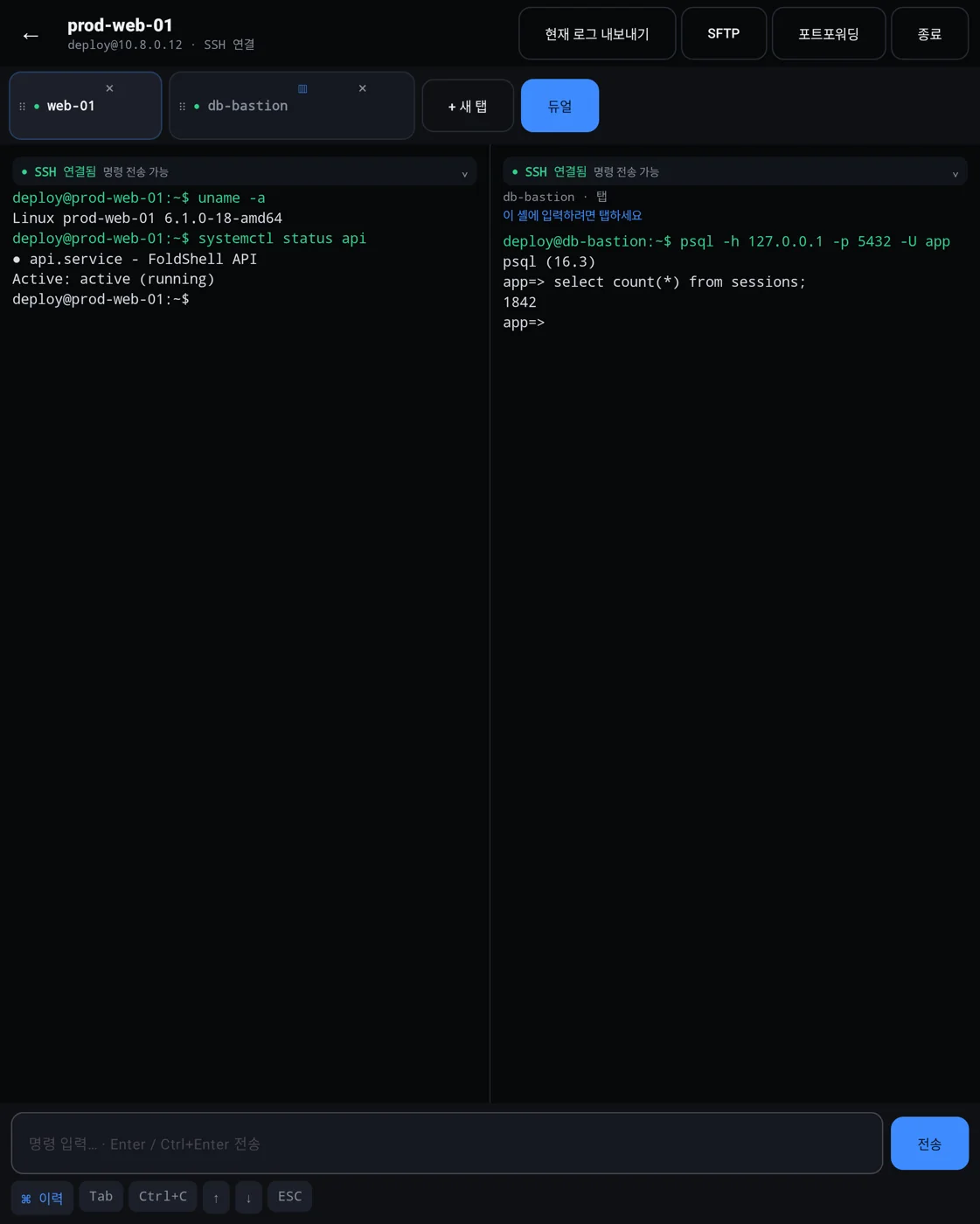
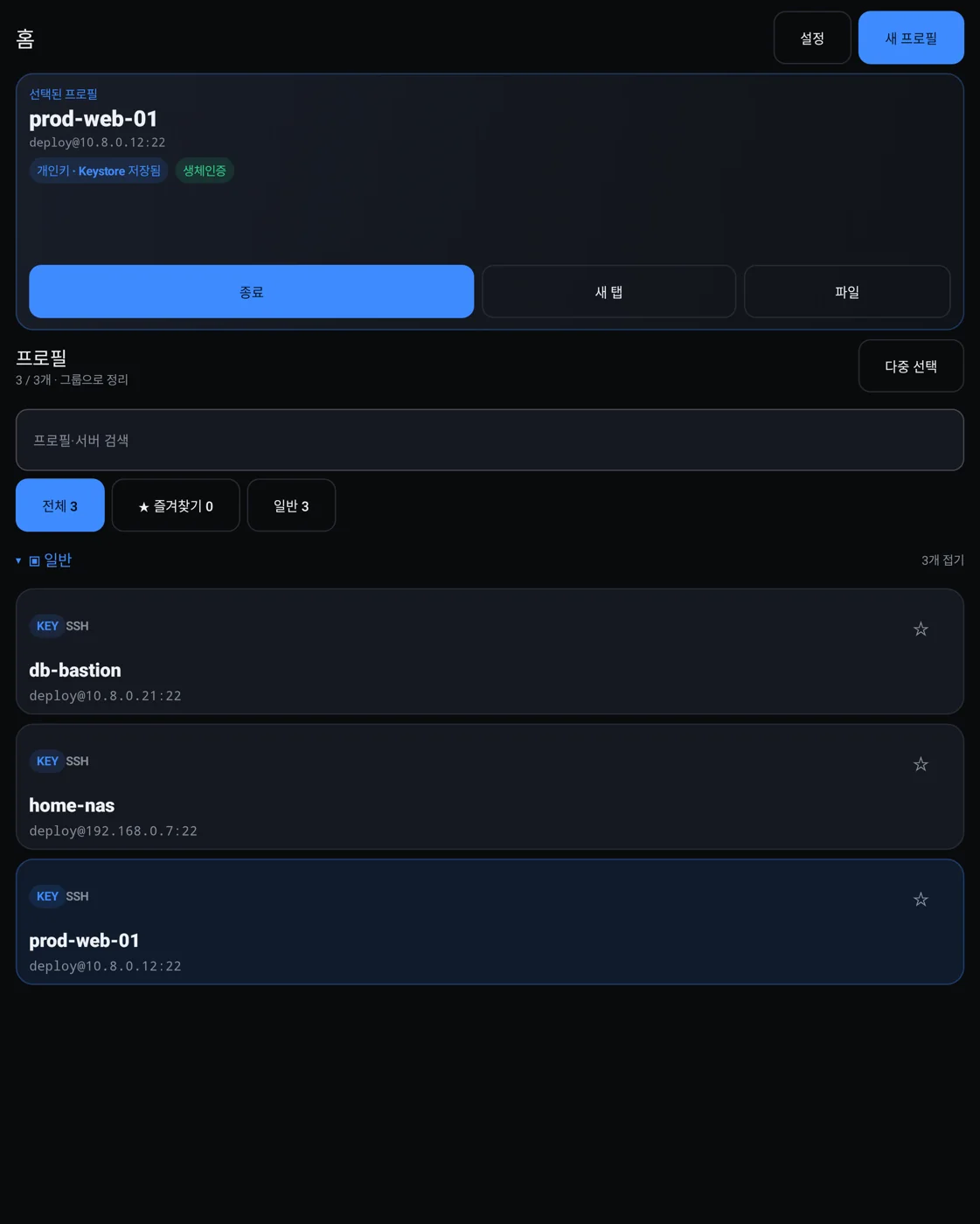
An SSH and WireGuard terminal built for foldable phones. Unfold it and two terminals sit side by side on the inner screen. The layout changes with the phone's posture: folded, open like a book, or half folded and standing up. It supports SFTP and port forwarding, and saves connection details as host profiles. Secrets are encrypted with Android Keystore. Risky commands ask once more before they run, and host keys need your confirmation too.
Dual terminals when unfolded
SFTP, port forwarding
Encrypted with Keystore
STACKAndroid, Kotlin
Real app screens · Test renders · Fake connection details
Beta and MVP
04 · 05 · 06 · 07
Beta04
NotiGuard
Only the alerts you need to see
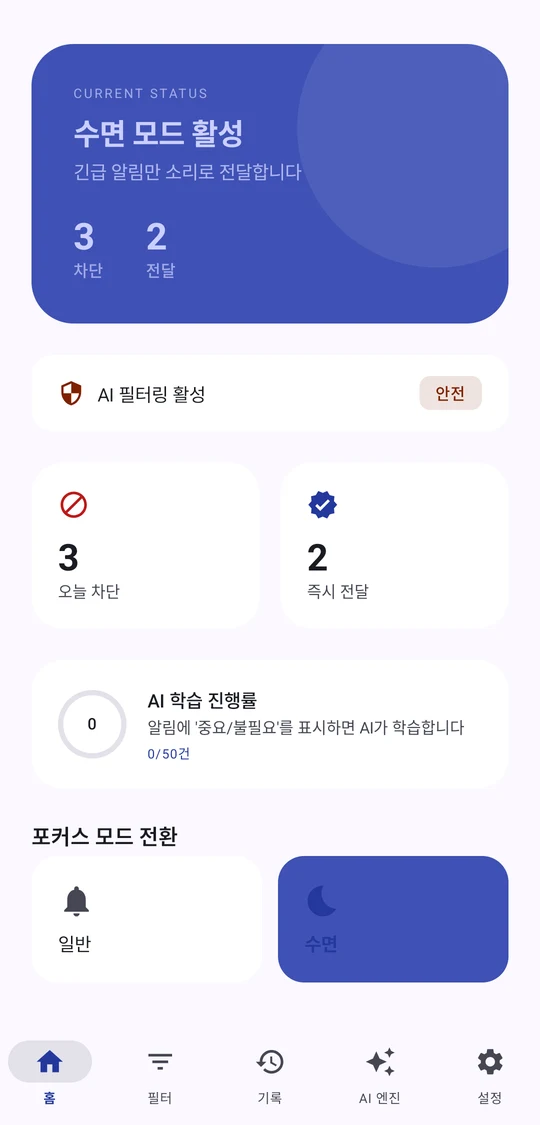
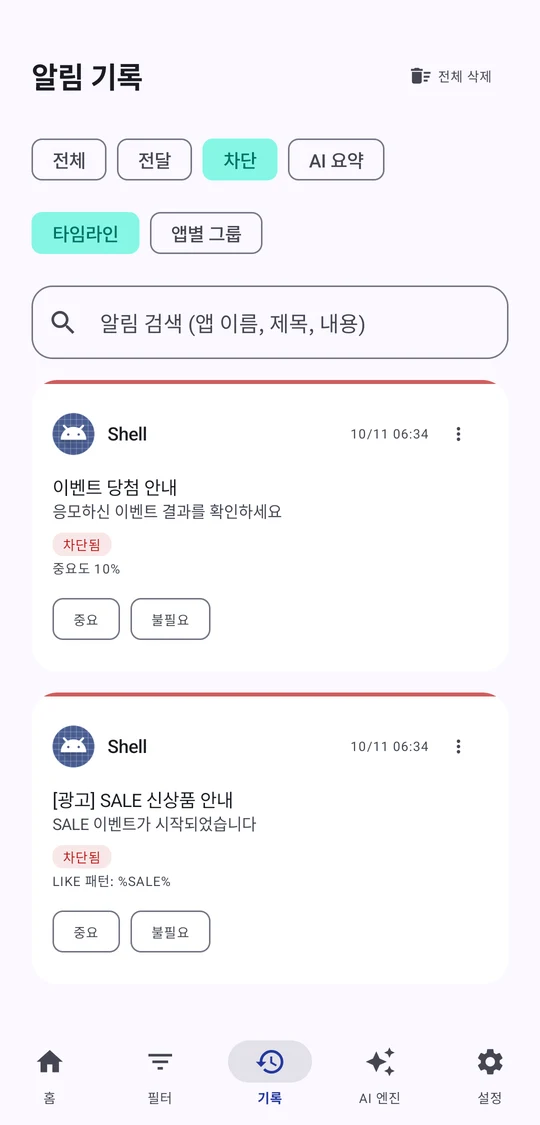
Each time a notification arrives, NotiGuard decides whether you need to see it now and quietly holds back the rest. Sleep mode turns on at the times you set. You can set keyword rules to block a notification or deliver it right away. Blocked and delivered notifications are logged with the reason. When you mark one as important or unneeded, that feedback shapes the next decision. Decisions happen on the device by default, and you can switch to cloud or hybrid mode. In every mode, sensitive notifications never leave the device.
Scheduled sleep mode
Keyword block or deliver now
Logs why it was blocked
STACKAndroid, Kotlin
Real app screens · Emulator · Dummy notifications
Beta05
Eodiboja (어디보자)
Korean spell check in any app
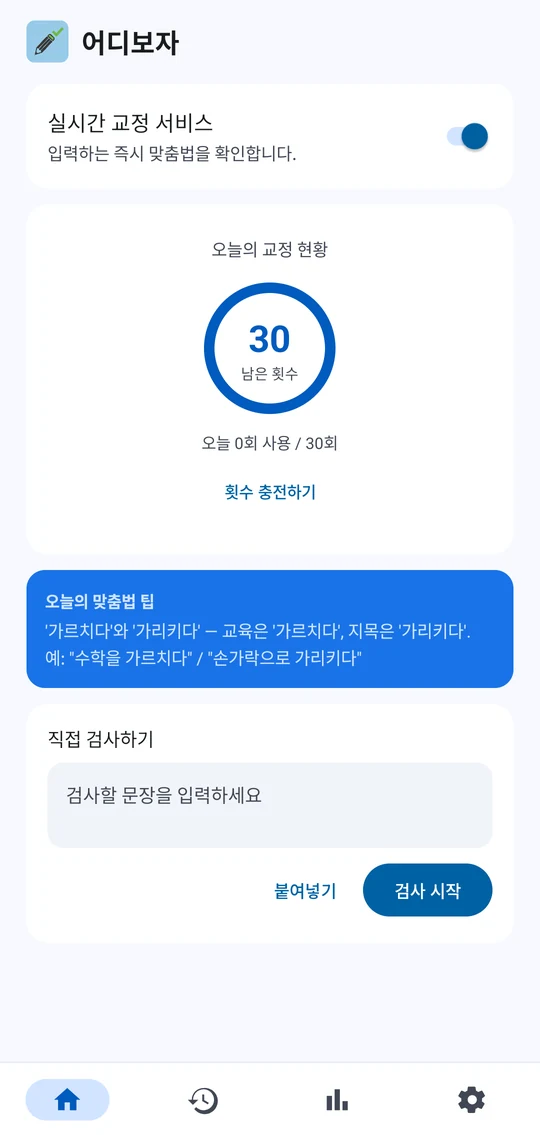
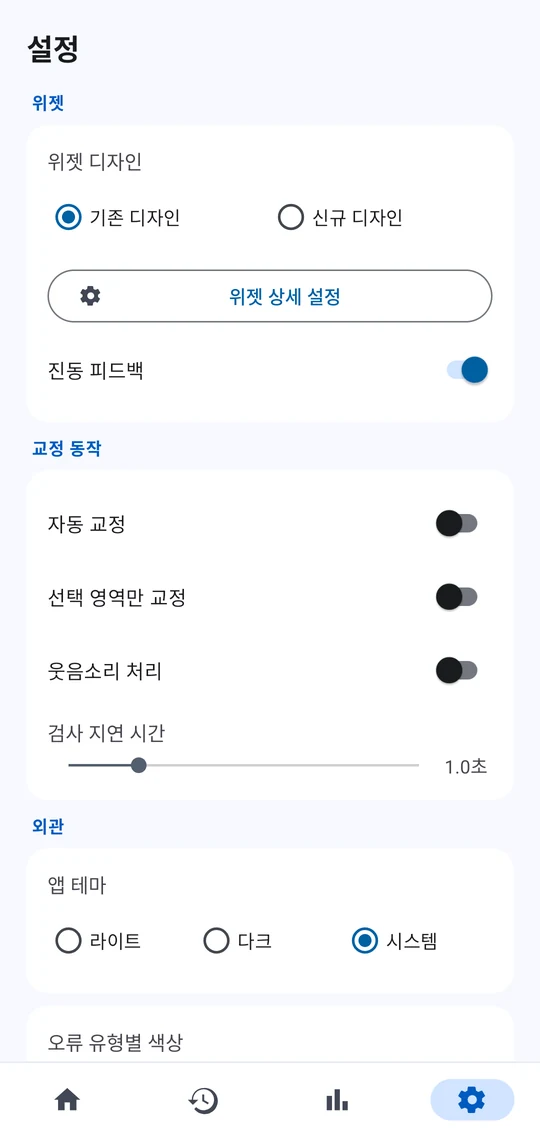
Keep a small widget floating over other apps, and it checks your spelling as you type and marks fixes right where they are. One tap applies a fix. You can also have it wait a moment and fix things on its own. The stats screen shows where you slip up most. By today, this week, this month or all time, it shows the share of each error type, corrections by day of the week, and your five most corrected words.
Checks over any app
One tap to fix
Stats on common mistakes
STACKAndroid, Kotlin
Real app screens · Emulator
MVP, not public06
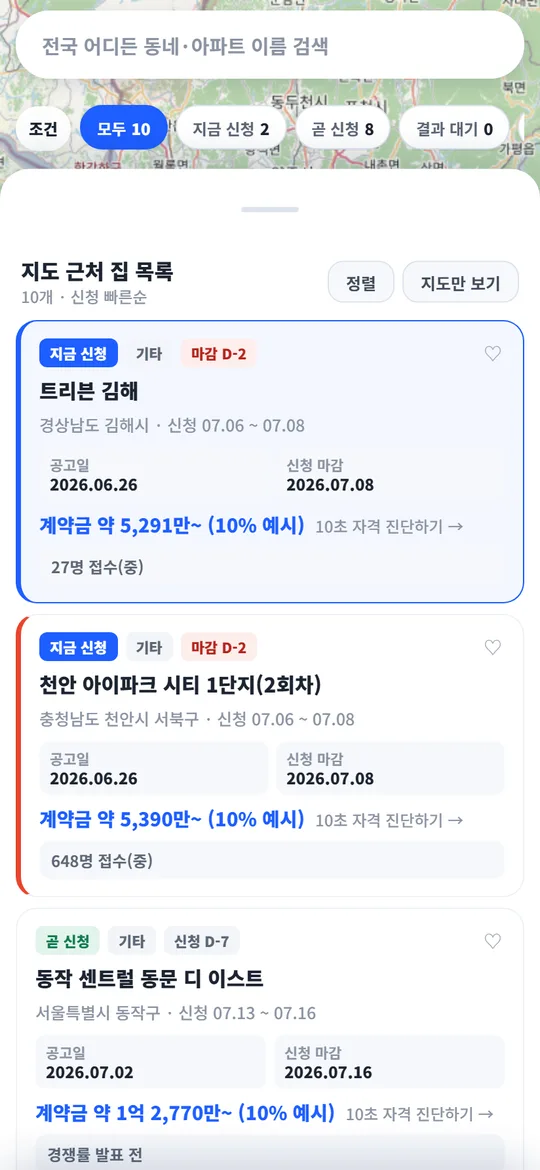
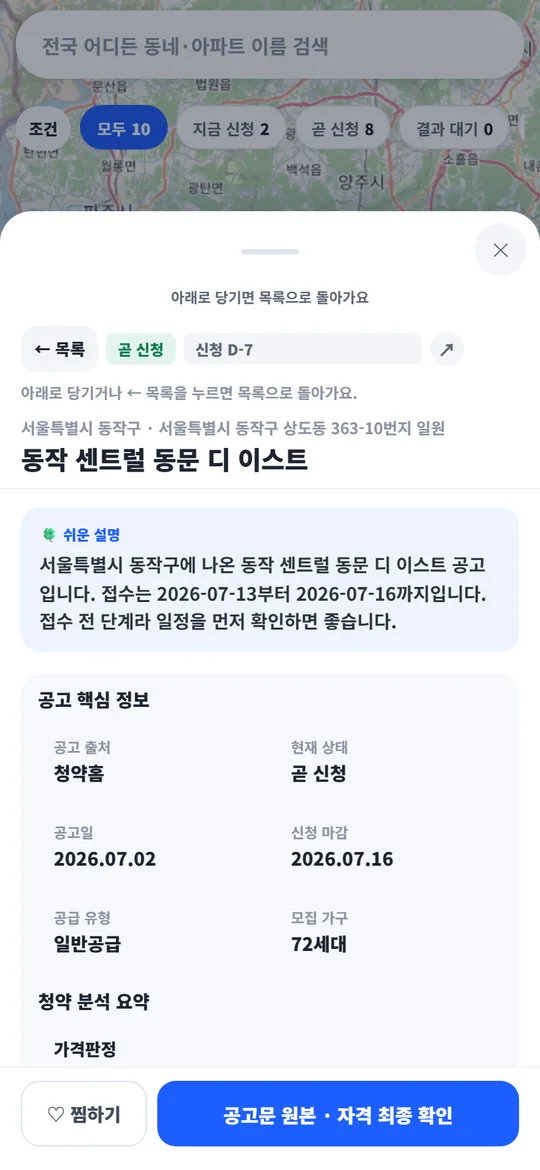
Cheongyak Compass (청약나침반)
Apartment lotteries on a map
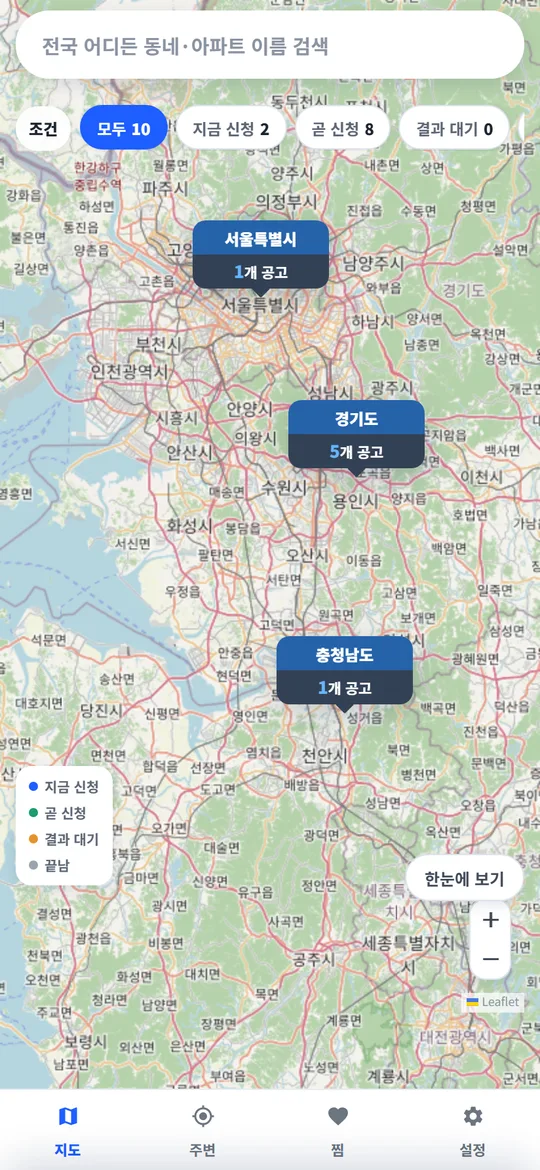
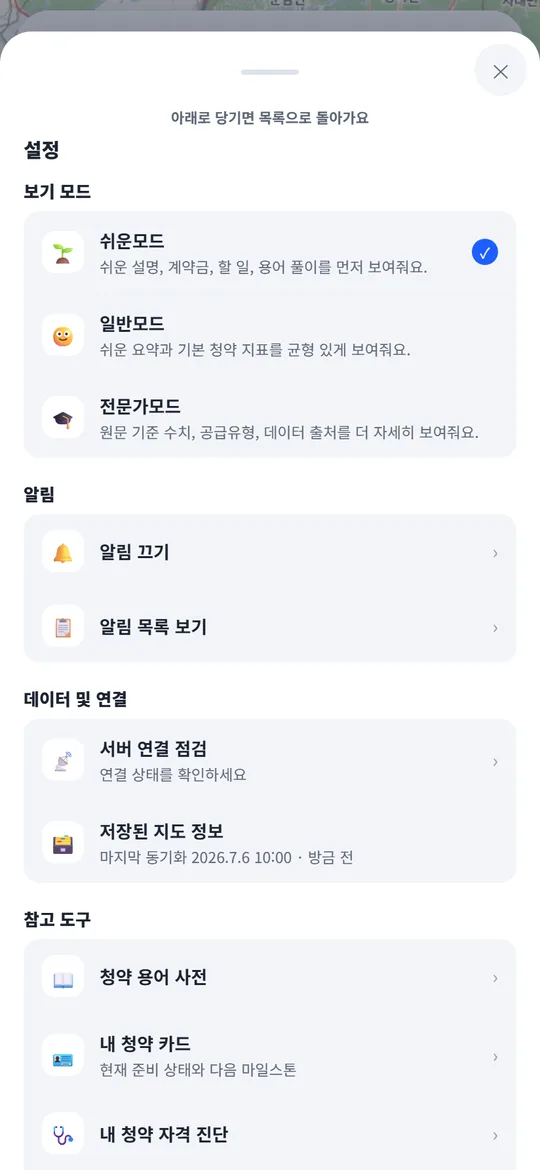
Cheongyak is Korea's subscription lottery for new apartments. This app lays the lottery notices out on a map and pulls fresh ones every 6 hours from Cheongyak Home, the national subscription portal, and other public data. Each notice gets a pin colored by status and a price, and busy areas show as numbered clusters that zoom in when tapped. Switch between Open now, Opening soon and Awaiting results, narrow the list by region, price range, sort order or search, and days-left tags (D-day) count down to each deadline and announcement. Notice details come in three reading levels (Easy, Standard and Expert) and put a 3-second summary, a checklist of what to check now, the cash you need and how the money flows, the schedule and competition rates on one screen. Save your score with the subscription points calculator and eligibility check, and it is compared right away with past cutoffs. For notices you follow, alerts arrive at a time you choose: the day before applications open, on the deadline and on announcement day.
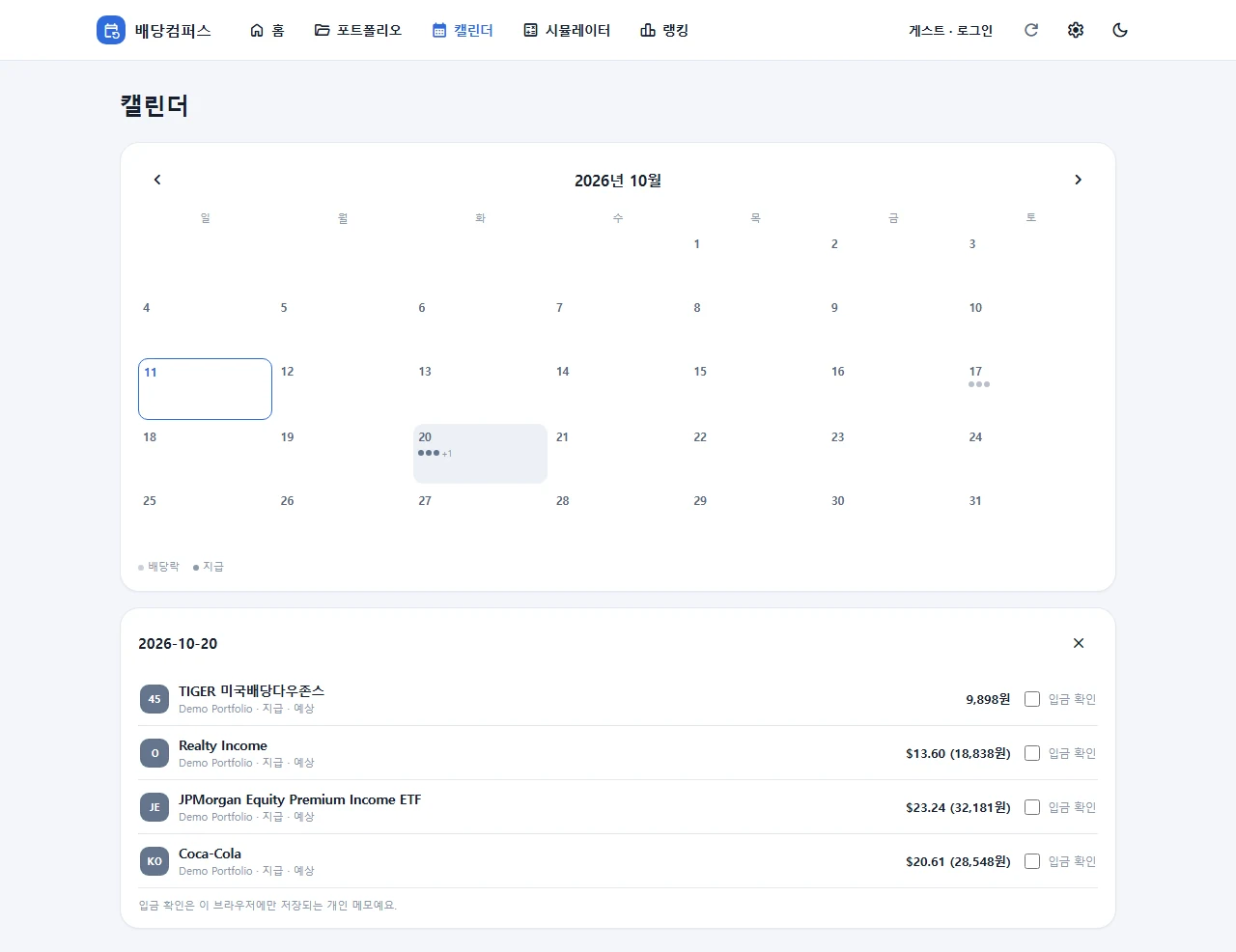
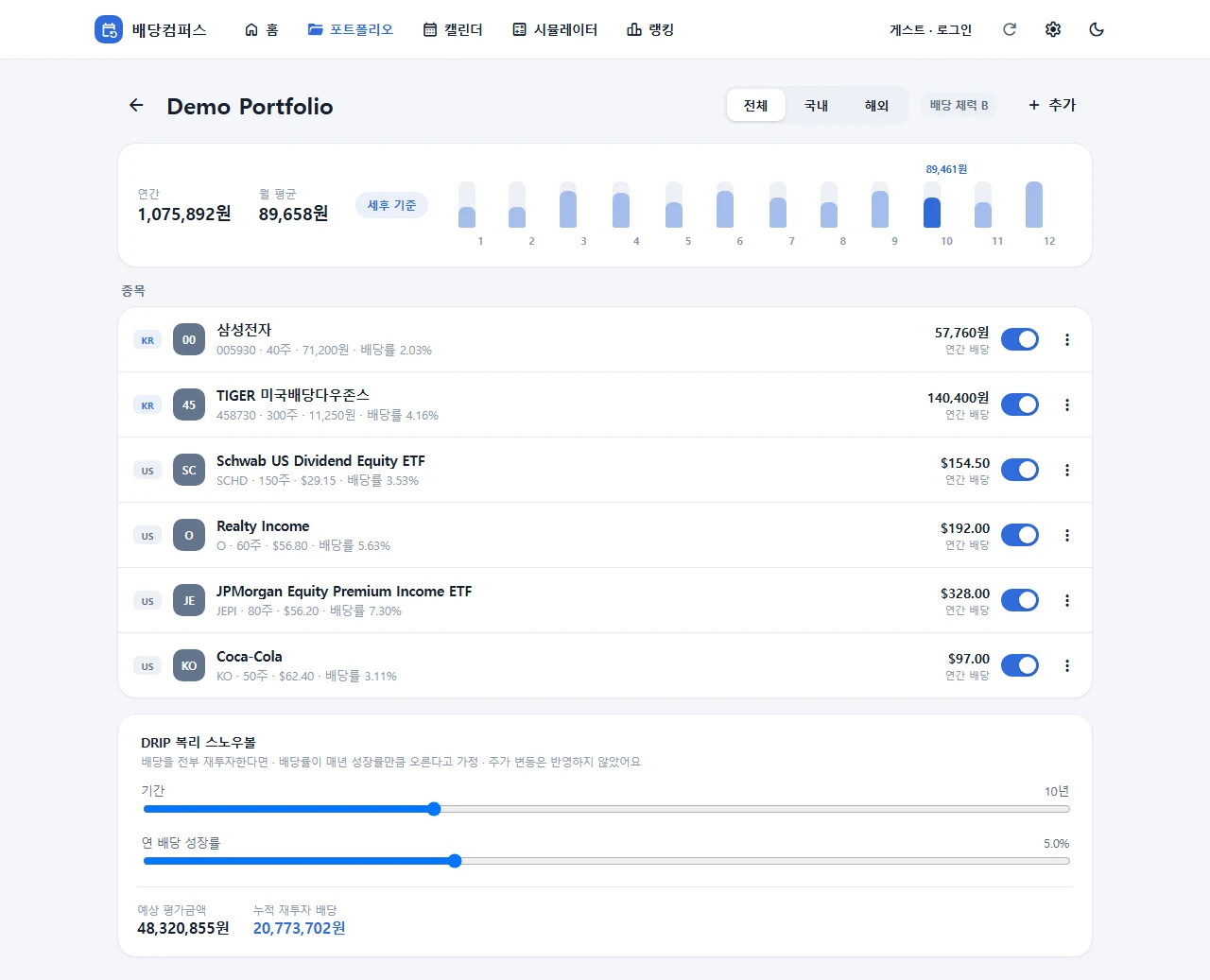
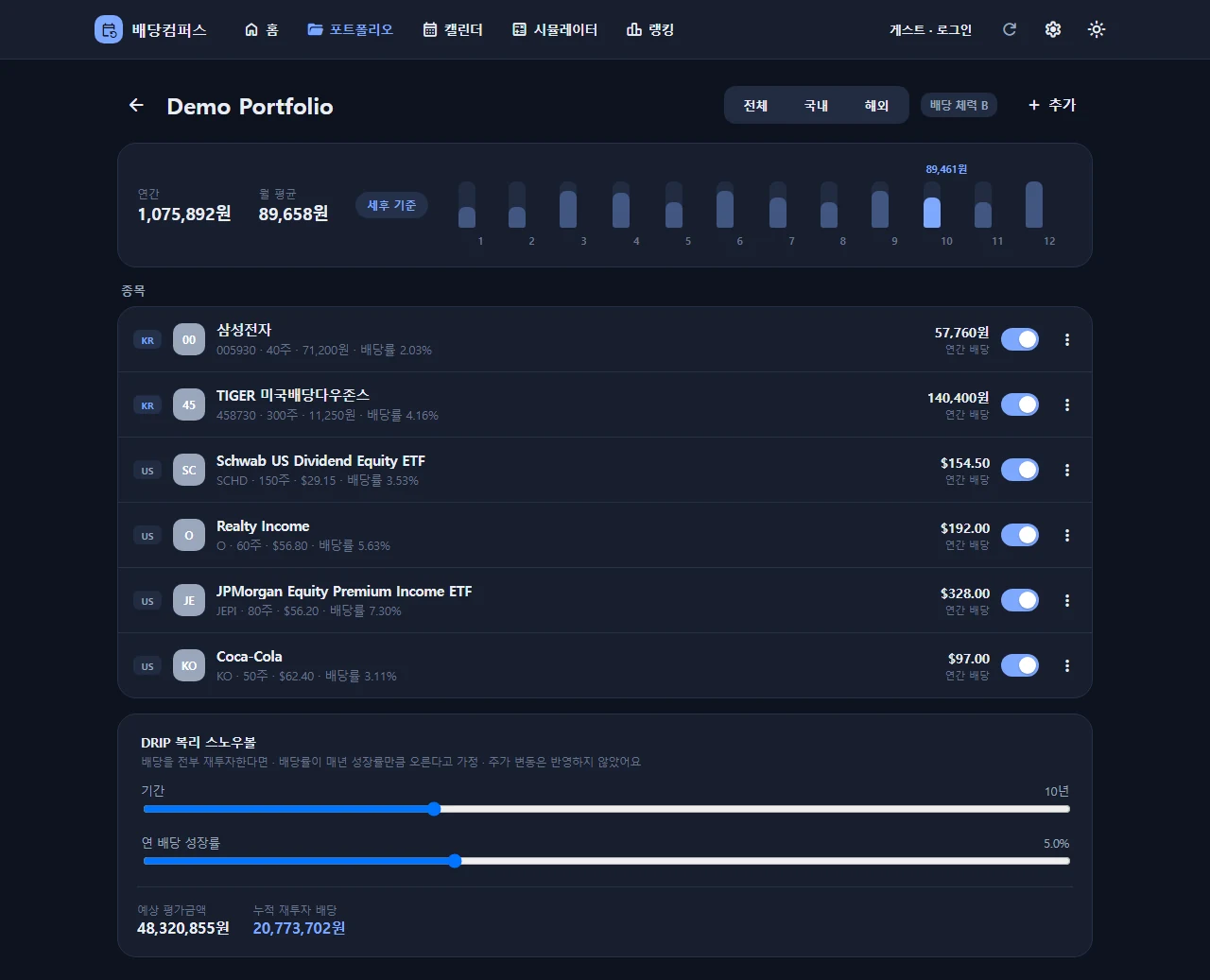
A portfolio app that keeps your dividend investments on their own. Search Korean and US stocks, enter how many shares you hold, and the calendar marks ex-dividend and payment dates. Expected dividends for the next 12 months are calculated before and after tax (15.4% for Korean stocks, 15% for US stocks, KRW and USD combined). The simulator works without an account: enter an amount to get a stock mix and monthly dividend, or enter a target monthly dividend to see how much you need. If you don't log in, data stays on the device; log in with Google or Kakao to sync.
Ex-date and payday calendar
12-month after-tax forecast
Simulate without signing up
STACKWeb (Android app in development)
DiviCompass
DiviCompass
DiviCompass
Web screens · Demo data
In development and experiments
08 · 09 · 10
In development08
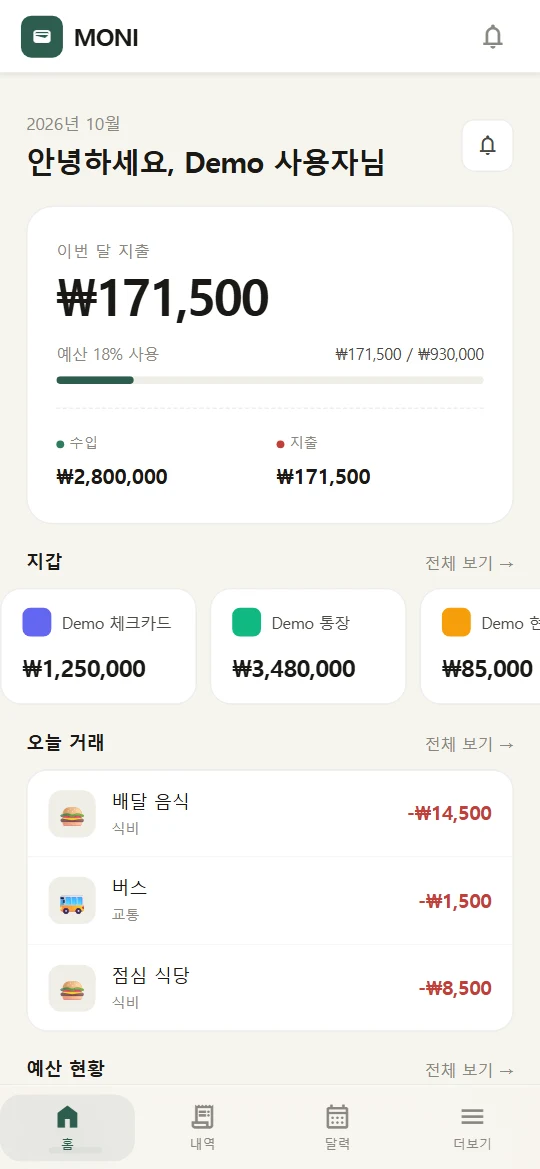
MONI
Alerts suggest, you confirm
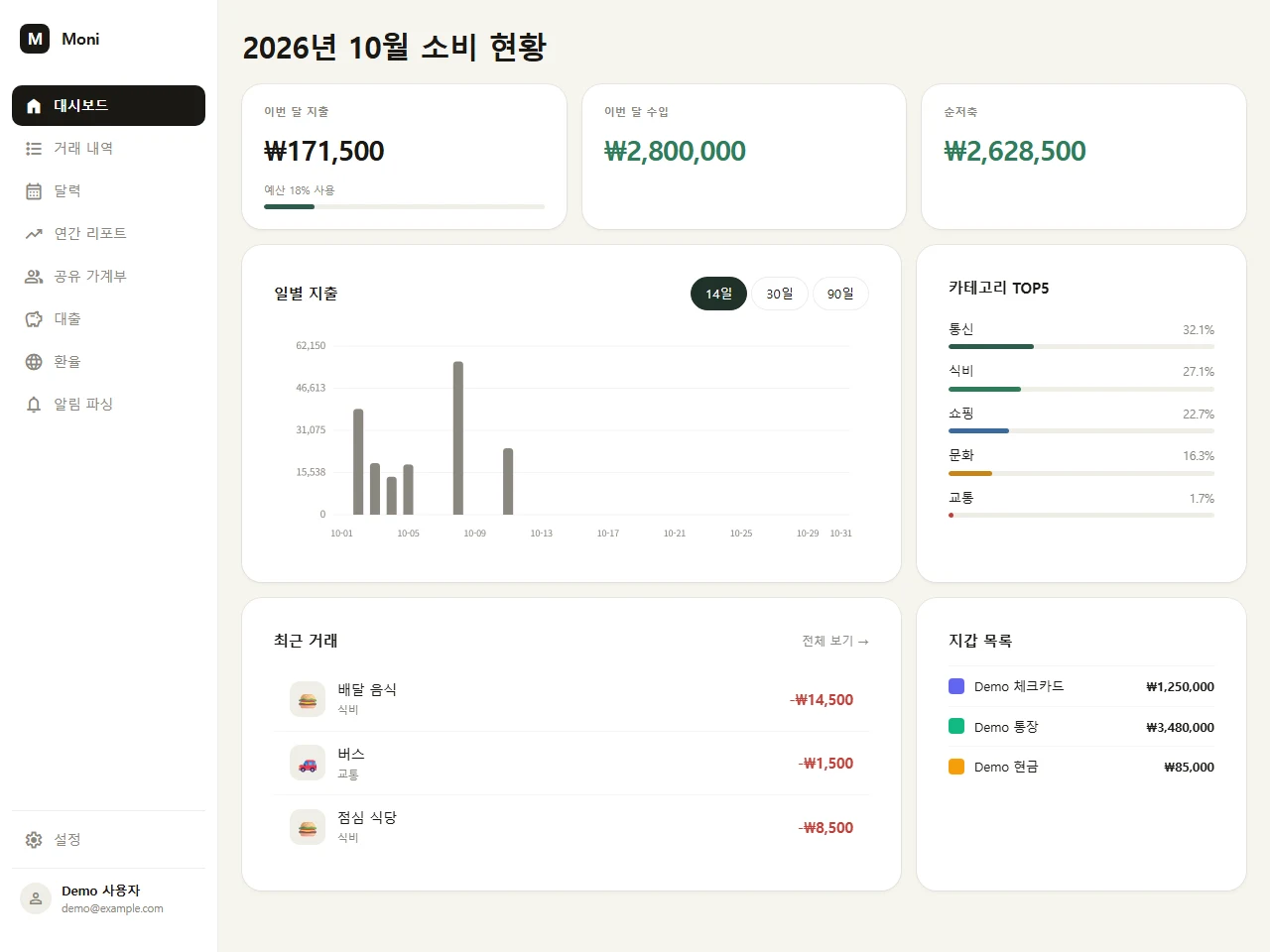
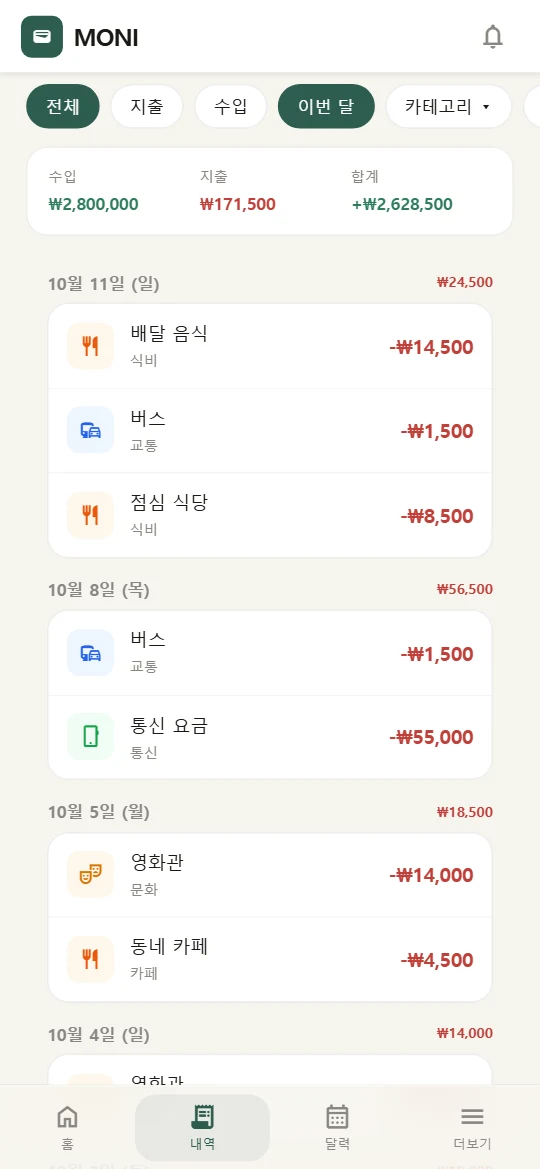
On Android, allow notification access and turn on the apps you want, one by one. MONI then reads notifications from bank, card and mobile payment apps and suggests entries for your budget. Nothing is recorded until you confirm it. You can also add entries by hand or import a CSV, and snap a receipt to read its text on the device. Track income, spending and transfers for each account, card or cash wallet, then look back on the month with category budgets, report charts and a calendar heatmap. Notification reading, home screen widgets, and biometric and PIN lock are Android only. The web version is a PWA, so entries you add offline upload once you're back online.
Logs alerts once you confirm
Monthly budgets by category
Shared budget and settle-up
STACKAndroid, Go server, Web PWA
MONI
Web screens (PWA) · Demo data
Experiment09
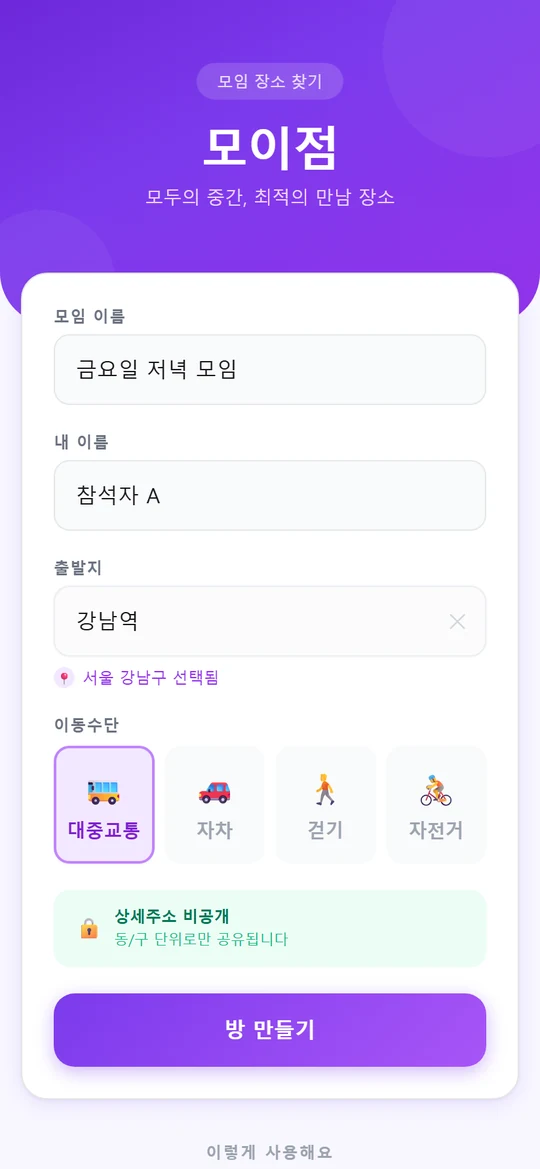
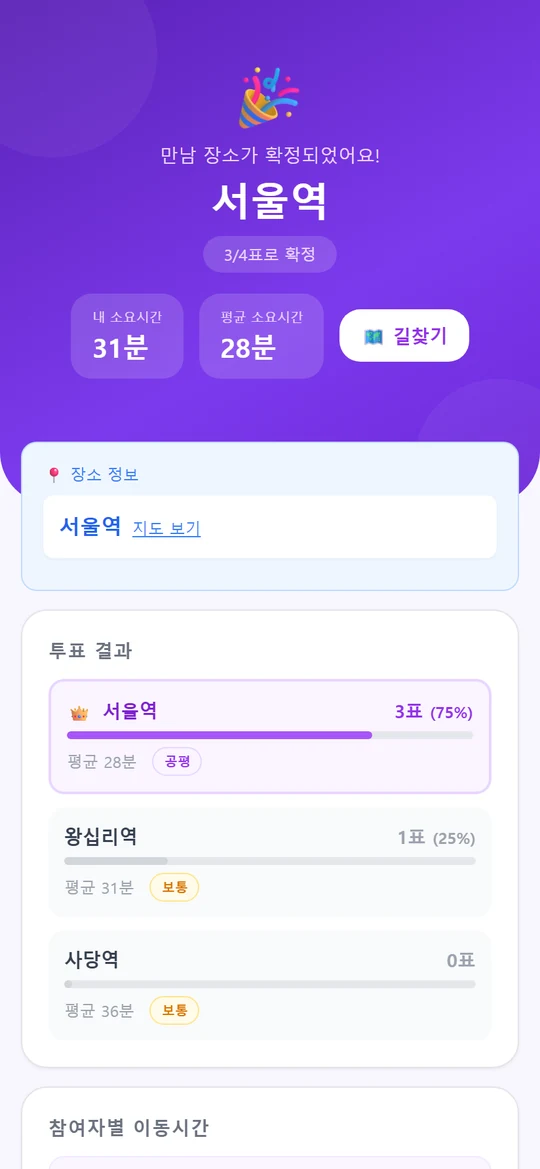
Moijum (모이점)
Meet where everyone travels less
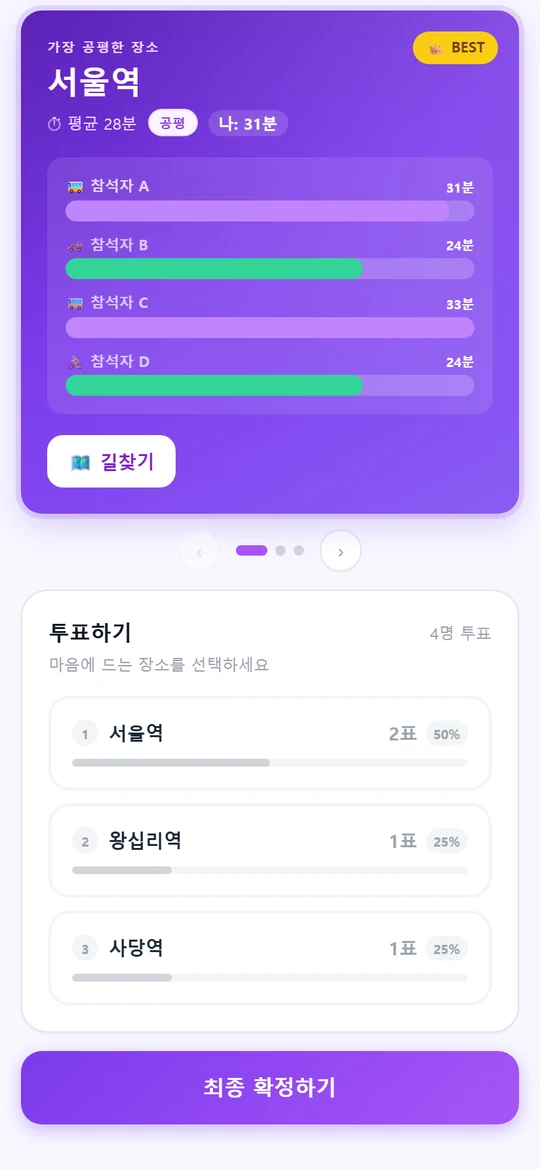
Create a room and have everyone enter where they're starting from. Moijum suggests meeting places that cut travel time for the whole group. Each option shows a bar for each person's travel time, so you can see at a glance who has the longest trip. Everyone votes, and the host picks the final spot.
Suggests from start points
Travel time per person
Group votes, host confirms
STACKNext.js, Go
Web screens · Dummy data
In development10
Wedding Invitation
Ad-free wedding invites by link
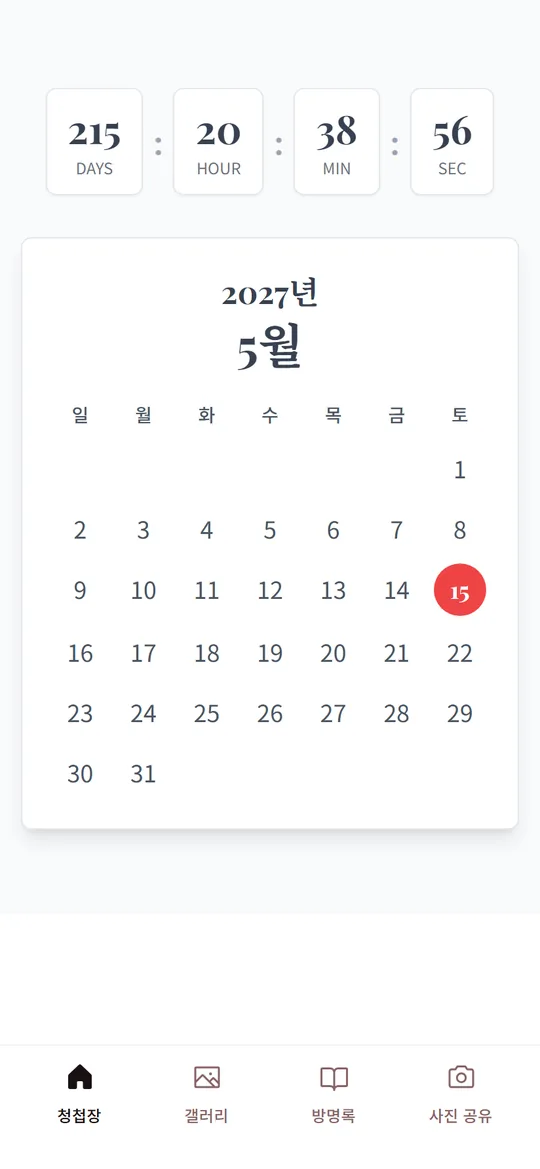
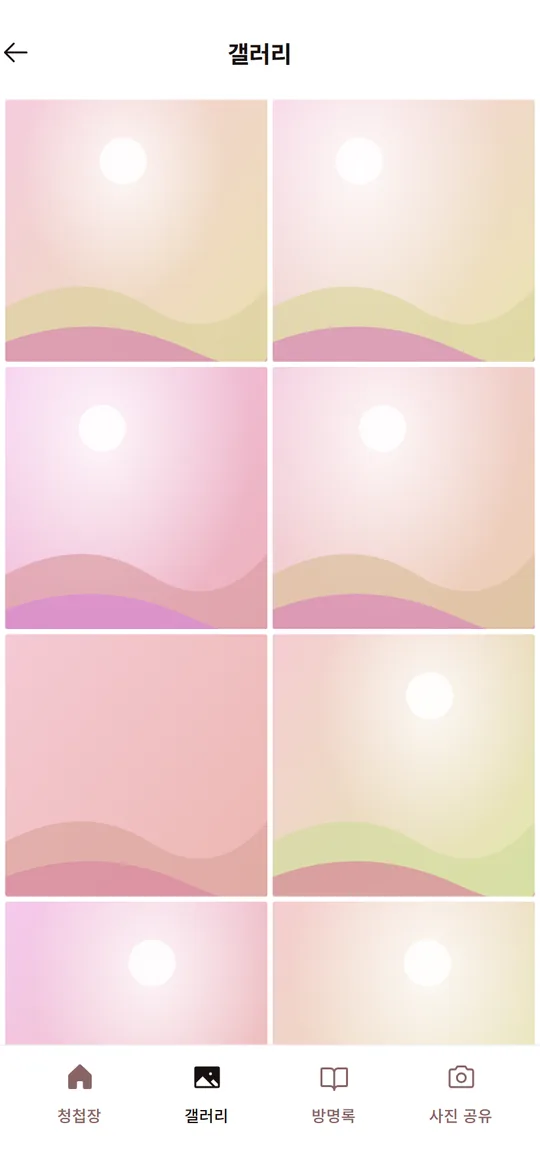
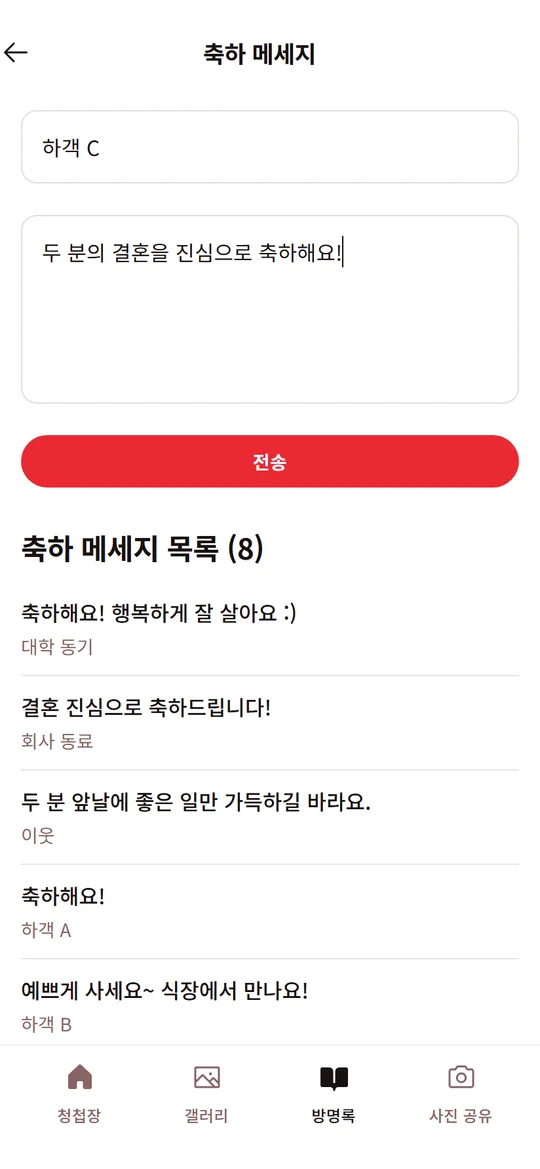
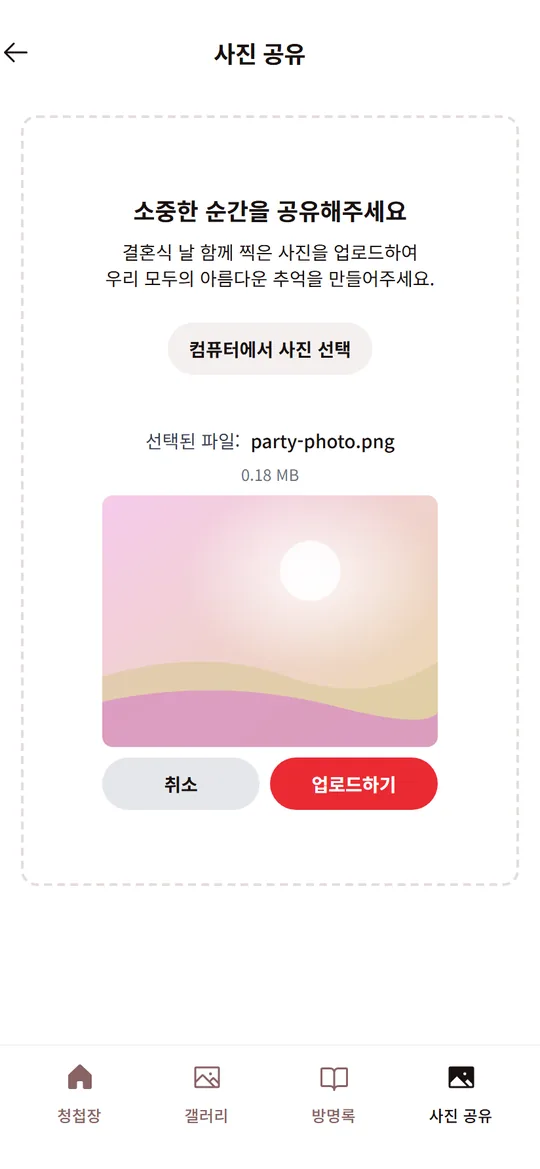
A mobile wedding invitation, being prepared as a service for engaged couples. Guests open it from a single link, no app install needed. It holds the date and venue, a countdown to the day, a photo gallery, and directions that open straight in a map app. Guests leave congratulations in the guestbook and upload photos they took on the day. Every screen is designed from scratch, and sharing the link shows a preview image.
Ad-free, opens from a link
Guest photos and guestbook
Directions in your map app
STACKReact 19, Vite, Tailwind, Go (Gin, GORM), MySQL
Web screens · Demo data
02 Roadmap
The road so far, and what's next
2024
Home Assistant arrival times
Bus and subway arrival times in Home Assistant. The code is in a public repository.
2025
Wedding Invitation
A mobile wedding invite you open from one link. Being prepared as a service for couples.
Eodiboja
A floating widget fixes your spelling in whatever app you're writing in.
NotiGuard
A notification filter that shows only what needs your attention and quietly holds back the rest.
2026
Moijum
Everyone enters a starting point, and it picks a place where the whole group travels less.
MONI
Reads bank and card app notifications and suggests entries. Nothing is saved until you confirm.
Lumino
Only places you've walked light up on the map. Shows how much of each district you've explored.
Cheongyak Compass
Find apartment lottery notices on a map and read each one in plain language.
DiviCompass
Add your dividend stocks, and the calendar shows their ex-dividend and payment dates.
Toolhari
41 calculators and everyday tools, no sign-up needed. Live now.
FoldShell
An SSH terminal made for foldable phones. Unfold it and two terminals sit side by side.
2027 · What's next
Getting ready to launch
PlanLumino public launch
We plan to take the map that lights up where you walk out of beta and into a full release.
PlanCheongyak Compass public launch
Once it's verified on real public data, the map of apartment lottery notices opens to everyone.
PlanDiviCompass for Android
The calendar and portfolio move to Android, with payout alerts and a home screen widget.
PlanNotiGuard launch and Claude integration
Claude would judge only the alerts the phone can't sort out. Sensitive ones stay on the device.
PlanEodiboja public launch
The widget that fixes spelling in any app, released for anyone to install.
New apps
IdeaNotice Helper (공고 도우미)
An app to read housing, job and grant notices for you and sum up who can apply and by when.
Plans may change.
03 Public repos
Public repositories
Some of the code we wrote for our own use is in public repositories.
Public repoha-matter-qr-managerManages Matter device QR codes in Home Assistant.
Public repoha-component-kakao-busShows bus arrival times in Home Assistant.
Public repoha-component-kakao-subwayShows subway arrival times in Home Assistant.
Public repoJenkinsSharedLibraryJenkins pipelines shared across projects.
Public repoterraform-vbox-k3sBuilds a k3s cluster with Terraform and Ansible.
Public repoGoServerA Go framework split into handler, model and usecase layers.
How we work
PRINCIPLE 01From idea to operation, in one place
One studio handles planning, design, development and running the servers, from start to finish.
PRINCIPLE 02Ship small, improve in use
The first version ships small and keeps getting better while people use it.
PRINCIPLE 03Fewer steps to get started
Sign-up and setup are kept to what's truly needed, so you can start the moment you open it.
Contact
We take questions by email
Product questions, collaboration ideas, bug reports: send them all to [email protected].